Chat with us, powered by LiveChat
Home > Corporate Data Backup > Enterprise Data Backup Tools > Docker Container Backup and Restore

Containers have revolutionized application deployment, but their nature creates unique data protection challenges. When containers terminate, valuable data can disappear unless properly backed up. Traditional backup approaches struggle with containerized environments because they require agents inside each container, can’t efficiently capture container states, and lack understanding of Docker’s layered architecture.

Bacula Enterprise delivers purpose-built Docker backup through direct API integration, protecting containers, images, and persistent volumes without installing agents or disrupting running workloads. The solution handles everything from development environments with dozens of containers to production infrastructures managing thousands, providing automated protection that works regardless of container state or lifecycle stage.

Modern compliance requirements demand more than Docker’s native export capabilities. Organizations need encrypted backups, immutable storage, granular recovery options, and detailed audit trails. Bacula Enterprise provides enterprise-grade data protection that meets regulatory standards while maintaining the speed and flexibility Docker users expect.

Comprehensive Docker Backup Without Capacity-Based Pricing

Bacula Enterprise protects Docker container environments with a fundamentally different economic model: completely capacity-independent licensing. While competing solutions escalate costs as your data grows, Bacula’s straightforward pricing remains constant regardless of how many terabytes you protect. This approach delivers exceptional value for data-intensive containerized applications and Managed Service Providers (MSPs) managing multi-tenant Docker infrastructures, allowing unlimited expansion of containerized deployments without triggering budget-breaking licensing increases.

Key Benefits of Bacula’s Docker Container Backup Solution

Agentless Protection

  • External API Integration – Protects containers through Docker Engine API without installing backup agents inside container images
  • No Container Modifications – Backs up containers without requiring Dockerfile changes, image rebuilds, or runtime configuration adjustments
  • Automatic Coverage – New containers matching backup criteria receive protection automatically without manual job configuration updates
  • Remote Docker – The capability to backup and restore Docker images and containers remotely, with the help of a bacula-fd agent

Comprehensive Data Capture

  • Complete Container State – Captures images, configurations, environment variables, network settings, and persistent volumes as unified backup sets
  • Image and Volume Protection – Protects both Docker images for rapid provisioning and volume data containing application state
  • Restore as Functional Units – Recovered containers include all components needed for immediate operation without manual reassembly

Flexible Selection and Recovery

  • Multiple Selection Methods – Choose containers through direct specification, pattern matching, or combined include/exclude rules
  • Cross-Environment Restore – Deploy recovered containers to original hosts or different Docker environments for testing, migration, or disaster recovery
  • Configurable Container Startup – Control whether restored containers start automatically or remain stopped for verification and configuration

Docker Container Backup Module Features

Backup Capabilities

  • Image-Based Container Backup – Captures complete container state including all read-only and writable layers as a single image archive
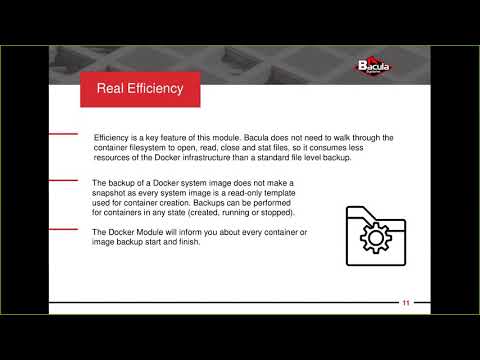
  • Docker System Images Backup – Backs up Docker template images used for container creation without creating snapshots, as system images are already read-only templates
  • External Volume Backup and RecoveryProtects Docker external volumes containing persistent application data alongside container configurations
  • Container State Flexibility – Performs backups for containers in any state including created, running, or stopped without requiring state changes
  • Efficient Resource Usage – Operates without walking through container filesystems to acquire individual files, consuming fewer Docker infrastructure resources than file-level backup approaches
  • Automated Snapshot Management – Creates container commits (snapshots) at backup start, completes data capture, and automatically removes snapshots to free resources
  • Multiple Container Backup – Backs up multiple containers and images in a single job with distinct archive files for each resource

Restore Capabilities

  • Restore to Docker Service – Loads container archives directly into Docker service as new images, with optional automatic container creation and startup
  • Restore to Local Directory – Extracts container and image archives to local filesystem for offline processing, analysis, or manual Docker import
  • Container Creation Options – Automatically creates containers from restored images or restores only at the image level
  • Automatic Container Startup – Optionally starts restored containers immediately after successful restore for rapid service recovery
  • Image Overwrite Control – Restores Docker images with configurable replacement behavior to preserve or overwrite existing images
  • Container Naming Flexibility – Restores with original container names or creates new instances with custom naming based on original name and JobId values (or using a container_imageid parameter)
  • Image ID Usage Option – Uses image repository and tag values or image ID values for container creation operations during restore

Container Selection Methods

  • Direct Container Specification – Selects individual containers by name or ID for precise backup targeting
  • Direct Image Specification – Selects individual Docker images by repository:tag format or image ID for backup
  • Regular Expression Pattern Matching – Filters containers and images using regular expression syntax for name-based selection
  • Include Pattern Filtering – Defines patterns to automatically select containers or images matching specified expressions
  • Exclude Pattern Filtering – Excludes containers or images matching specified patterns from backups selected by include rules
  • Combined Selection Logic – Supports multiple selection methods in single backup jobs for sophisticated targeting strategies
  • Resilience with Errors – Configures whether missing containers or images abort entire job or generate single error and continue

Configuration Parameters

  • Plugin Architecture – Integrates as File Daemon module configured through FileSet Include sections in Bacula Director configuration
  • Default Behavior Configuration – Sets sensible defaults including automatic container creation, no automatic startup, and repository-based image references
  • Parameter Persistence – Saves backup parameters in catalog for reuse during restore operations with option to modify during restore process

Operational Features

  • Resource Listing Support – Queries Docker environment to list available containers, images, and other resources for backup planning
  • No Agent Installation Required – Operates externally using Docker API without requiring Bacula File Daemon installation inside containers
  • Docker API Integration – Communicates with Docker daemon through official Docker API for all operations
  • Installation Flexibility – Installs on Docker host systems or external machines with Docker API access
  • Cross-Platform Compatibility – Supports any operating system running Bacula File Daemon and Docker Engine
  • Debug and Logging Capabilities – Provides comprehensive logging of backup and restore operations including container names, IDs, and operation status

Docker Plugin Configuration & Deployment

Plugin Architecture and Installation

  • File Daemon Plugin Integration – Operates as a standard Bacula File Daemon plugin module, integrating seamlessly with existing Bacula infrastructure
  • Flexible Deployment Location – Install on Docker host systems directly or on separate management servers with Docker API network access
  • Zero Container Dependencies – Requires no modifications to container images, Dockerfiles, or running container configurations
  • Standard Bacula Requirements – Functions with standard Bacula File Daemon installation and Docker Engine API availability

Container Discovery and Selection

  • Direct Container Targeting – Specify individual containers by name or container ID for precise backup control
  • Pattern-Based Matching – Use regular expressions to automatically select containers based on naming conventions
  • Dynamic Container Discovery – Backup jobs automatically detect and protect new containers matching selection criteria
  • Include and Exclude Rules – Define which containers to protect and which to skip using flexible filtering logic
  • Multi-Criteria Selection – Combine multiple selection methods within single backup jobs for sophisticated container targeting

Backup Operation Workflow

  • Container Commit Creation – Creates temporary commits (snapshots) of running containers to capture consistent state
  • API-Based Data Export – Retrieves container images and volume data through Docker Engine API without filesystem access
  • Automatic Commit Cleanup – Removes temporary commits after successful backup to prevent Docker storage accumulation
  • Multiple Container Processing – Handles multiple containers in single backup jobs with independent archive files per container
  • State-Independent Backup – Protects containers regardless of whether they’re running, stopped, or paused

Download Trial Docker Backup Whitepaper

Restore Operation Controls

  • Docker Service Restore – Loads container images directly back into Docker Engine with optional automatic container creation
  • Local Directory Export – Extracts container archives and volume data to filesystem for offline analysis or manual import
  • Container Startup Options – Configure whether restored containers start automatically or remain stopped for manual verification
  • Naming Flexibility – Restore containers with original names or generate new names for parallel testing environments
  • Cross-Host Recovery – Deploy restored containers to different Docker hosts for migration or disaster recovery scenarios

Administration and Monitoring

  • Web Interface Management (BWeb™) – Configure and monitor Docker backups through Bacula’s BWeb graphical console
  • Command-Line Control – Use bconsole for scriptable automation and advanced backup job configuration
  • Pre-Backup Discovery – Query Docker environment to list available containers and images before configuring protection
  • Docker Connectivity Testing – Verify plugin configuration and Docker API access before executing backup operations
  • Detailed Operation Logging – Capture comprehensive logs of container interactions, backup progress, and Docker API communications

Core Enterprise Capabilities for Every Bacula User

The Docker backup module operates within Bacula Enterprise’s comprehensive data protection platform. All features described in this section are platform-wide capabilities available across every Bacula deployment, including Docker environments.

Storage Infrastructure & Efficiency

Bacula Enterprise maximizes storage value through intelligent data reduction and flexible destination support:

  • Block-Level Deduplication – Identifies and eliminates duplicate data blocks across all backups, storing each unique block only once regardless of how many times it appears
  • Adaptive Compression – Applies configurable compression algorithms that balance processing overhead against space savings based on data characteristics and available resources
  • Incremental Forever Approach – Initial full backup followed by perpetual incrementals that track only changed data, eliminating the need for recurring full backups
  • Efficient Sparse File Processing – Recognizes and handles sparse files intelligently by backing up only allocated blocks rather than empty space
  • Bandwidth-Conscious Operations – Minimizes network utilization through change-tracking algorithms that transfer only modified data between backup runs
  • Multiple Storage Target Types – Write backups to local disk systems, network storage (NAS/SAN), cloud object storage (S3, Azure, Google Cloud), tape libraries, or any combination
  • Tiered Storage Workflows – Automatically migrate backups between storage tiers based on age, access patterns, or custom policies for optimal cost management
  • S3-Compatible Object Storage – Integrates with any S3-compatible storage provider for scalable, economical long-term retention

Data Protection & Compliance

Enterprise security and regulatory compliance are built into every aspect of the platform:

  • End-to-End Encryption – AES-256 encryption secures data from backup client through network transmission to final storage with flexible key management options
  • Immutable Backup Copies – WORM storage integration prevents backup modification or deletion, protecting against ransomware and malicious insider threats
  • Granular Access Controls – Role-based permissions restrict user access to specific backup jobs, restore operations, and administrative functions based on organizational requirements
  • Complete Activity Auditing – Logs every backup, restore, and configuration change with timestamps and user attribution for compliance reporting and security analysis
  • Regulatory Framework Support – Addresses requirements from GDPR, HIPAA, SOC 2, and industry-specific regulations through retention controls, encryption, and audit capabilities
  • Privacy-Preserving Architectures – Supports zero-knowledge configurations where administrators can manage backups without accessing protected data content

Recovery & Business Continuity

Comprehensive restore capabilities ensure rapid recovery from any data loss scenario:

  • System-Level Bare Metal Restore – Rebuild complete servers from scratch including operating system, applications, configurations, and data without manual OS installation
  • Cross-Platform Data Movement – Extract and restore data between different operating systems, enabling migrations and providing flexibility during recovery
  • Geographic Backup Replication – Automatically copy backups to remote locations for protection against site-level disasters and improved recovery point distribution
  • Frequent Backup Scheduling – Support for near-continuous protection with backup intervals measured in minutes rather than hours for minimal data loss exposure
  • Automated Restore Validation – Built-in testing mechanisms verify backup integrity and recoverability without manual intervention or separate validation workflows

Enterprise Management & Control

Centralized management tools provide visibility and control across all backup operations:

  • Dual Interface Approach – Choose between graphical web interface for visual management and fully-featured command-line tools for scripting and automation
  • Tenant Isolation Architecture – Service providers and large organizations can create separate environments with independent configurations, branding, and administrative boundaries
  • Comprehensive Reporting Suite – Generate backup status reports, storage utilization analysis, compliance documentation, and performance metrics with scheduled delivery
  • External System Integration – Connect with monitoring platforms, ticketing systems, and identity providers (LDAP/Active Directory) for unified IT operations
  • Automatic Resource Discovery – Detect and inventory backup targets across the infrastructure with query capabilities for planning and verification
  • Performance Optimization Controls – Adjust concurrency, bandwidth limits, and resource allocation to balance backup speed against production system impact
  • Scalability Without Limits – Architecture supports environments from single servers to thousands of systems under centralized management with distributed execution

Economic Advantages

Bacula Enterprise’s licensing model eliminates capacity-based pricing obstacles:

  • Volume-Independent Licensing – Backup capacity growth doesn’t trigger license cost increases, enabling unlimited data protection expansion
  • Predictable Cost Structure – Straightforward pricing eliminates budget surprises as infrastructure scales or data volumes fluctuate
  • Workload-Agnostic Pricing – Container counts, VM quantities, database sizes, and storage volumes don’t affect licensing costs
  • Large-Scale Cost Benefits – Organizations protecting substantial or rapidly growing data volumes gain increasingly significant economic advantages over competitors
  • Service Provider Economics – MSPs can offer enterprise backup capabilities while maintaining healthy margins unconstrained by client data growth

Download Trial Docker Backup Whitepaper

Frequently Asked Questions

Why can’t I just use Docker export or commit for backups?

Docker export and commit commands are designed for image creation and container migration, not enterprise data protection. These methods don’t capture persistent volumes where most application data resides, lack scheduling and retention policies, and provide no encryption or compliance features. True backup solutions protect all container components with automated workflows, version management, and verified recovery capabilities.

How does backing up containers differ from backing up regular files?

Container backups must capture multiple layers including base images, configuration metadata, environment variables, network settings, and mounted volumes as a cohesive unit. File-level backups would need to traverse complex overlay filesystems and understand Docker’s storage drivers, creating massive overhead and potentially corrupting running containers. Image-based approaches through the Docker API are faster, safer, and ensure containers can be restored as functional units.

What happens to my data when a container is deleted?

Container filesystem changes are lost immediately when containers are removed unless you’ve mounted external volumes or committed changes to images beforehand. Ephemeral containers running without volume mounts lose all data written during their lifetime. Bacula’s automated backup captures container state and associated volumes regularly, ensuring data survives container deletion, host failures, or accidental removal.

Can I backup containers while they’re running?

Yes, Bacula creates container commits (similar to snapshots) that capture the current state without stopping or pausing running containers. The backup process reads from these commits through the Docker API while your applications continue operating normally. This approach minimizes disruption and allows backup of production workloads during business hours without downtime.

How do I restore containers to a different Docker host?

Bacula restores containers as portable image archives that can be loaded into any Docker environment through the standard Docker API. You specify the target Docker host during restore, and Bacula transfers the container image, recreates volume data, and optionally starts the container with its original or modified configuration. This flexibility supports disaster recovery, environment migration, and creating test instances from production backups.

Further help on Docker container backup: